Posts

Showing posts from January, 2021

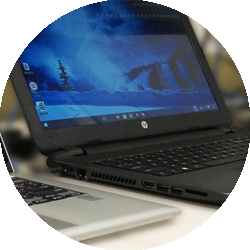
Top 10 Tips for extending laptop battery life
Image
 Whether you are travelling frequently or just lounging about, your laptop will probably run out at the worst of times. Nothing is more frustrating than to lose power if you want it most, be it before the end of a film, in the middle of an important text, or researching a trip while traveling. But why is your laptop running out of power earlier than the manufacturer has promised? And how best do you check after the health of your battery? We will cover the fundamentals and secrets of holding the battery of your laptop in shape. Adjust Screen Brightness The display is one of the most important battery eaters on any modern portable computer that is a laptop. Reducing the brightness of your screen will improve your laptop's battery life significantly. Hold the function key and click the brightness button on your laptop's keyboard to reduce the brightness of your screen. Microsoft Mobility Center can also be used to minimize screen light easily. From the Control Panel you can reach...

How Do I Enable Battery Charging On Dell Laptop?

Image
  Your Dell Laptop comes with a long cord connecting your computer to a wall outlet. This is the cable you use to charge your laptop battery. There is no infinite charge in the removability battery that comes with your laptop, which means it needs to be replenished from time to time. The time it takes to recharge your battery depends on your unit’s power. Step 1 Place the laptop Dell battery on the lower part of your computer case in the battery cabinet. The battery will snap into place. Step 2 Plug into a wall outlet your Dell laptop battery charger. Step 3 Insert a laptop battery charger on the side of the computer on the opposite end of the charger. Step 4 Switch on your Dell laptop and let it run on the Windows OS. Step 5 To enable battery charging on your  Dell laptop computer  model, tap the Fn key and the key on your keyboard. For instance, you must press FN and F2 to allow battery charging in a Dell Inspiron 1525, while on a mini 9 the Fn and 3 keys must...